# Get started with the .NET SDK
Learn how to set up and use the .NET SDK.
This step-by-step guide leads you through setting up and making API calls using the .NET SDK.
## Requirements
To follow this guide you should have the following:
- A commercetools Project
- An [API Client](/api/projects/api-clients.md)
- .NET Standard 2.1 (or later)
For more information on setting up a commercetools Project or API Client, follow our [Getting started with commercetools](/api/getting-started/initial-setup.md) guides.
## Objectives of the get started guide
By the end of this guide you will have:
- [Installed the .NET SDK](/dev-tooling/dotnet-sdk-getting-started.md#install-the-net-sdk)
- [Set up your client](/dev-tooling/dotnet-sdk-getting-started.md#set-up-the-client)
- [Learned how to make API calls with the .NET SDK](/dev-tooling/dotnet-sdk-getting-started.md#structure-your-api-call)
## Placeholder values
Example code in this guide uses the following placeholder values. You should replace these placeholders with the following values.
If you do not have an API Client, follow our [Get your API Client](/api/getting-started/create-api-client.md) guide.
| Placeholder | Replace with | From |
| --- | --- | --- |
| `{projectKey}` | project\_key | your API Client |
| `{clientID}` | client\_id | your API Client |
| `{clientSecret}` | secret | your API Client |
| `{scope}` | scope | your API Client |
| `{region}` | your Region | [Hosts](/api/general-concepts.md#hosts) |
## Install the .NET SDK
### PackageReference
Add the following to your `.csproj` file.
```xml
```
You must install `commercetools.Sdk.Api` to use the [HTTP API](/api). To access the [Import API](/api/import-export/overview.md), [Audit Log API](/api/history/overview.md), or [Checkout API](/checkout), include the respective `PackageReference` within the same `` block:
```xml
```
```xml
```
```xml
```
This installs the latest version of each package. To use a specific version, replace `*` with the version number.
### .NET CLI
Alternatively, run the following command in your project directory:
```sh
dotnet add package commercetools.Sdk.Api
```
To install packages for other APIs, run one of the following commands:
```sh
dotnet add package commercetools.Sdk.ImportApi
dotnet add package commercetools.Sdk.HistoryApi
dotnet add package commercetools.Sdk.CheckoutApi
```
You can also search for and install packages from [NuGet Gallery](https://www.nuget.org/packages/commercetools.Sdk.Api).
## Set up the client
Add the following code to your Program based on the API being accessed.
```cs
// Include the following imports:
using Microsoft.Extensions.Configuration;
using Microsoft.Extensions.DependencyInjection;
using commercetools.Sdk.Api;
var services = new ServiceCollection();
var httpApiConfiguration = new ConfigurationBuilder()
.AddInMemoryCollection(new List>()
{
new KeyValuePair("HTTPAPIClient:ApiBaseAddress", "https://api.{region}.commercetools.com/"),
new KeyValuePair("HTTPAPIClient:AuthorizationBaseAddress", "https://auth.{region}.commercetools.com/"),
new KeyValuePair("HTTPAPIClient:ClientId", "{clientID}"),
new KeyValuePair("HTTPAPIClient:ClientSecret", "{clientSecret}"),
new KeyValuePair("HTTPAPIClient:ProjectKey", "{projectKey}")
})
.Build();
services.UseCommercetoolsApi(httpApiConfiguration, "HTTPAPIClient");
services.AddLogging();
var serviceProvider = services.BuildServiceProvider();
var httpApiRoot = serviceProvider.GetService();
```
You can now use the `httpApiRoot` to build requests to the HTTP API.
```cs
// Include the following imports:
using Microsoft.Extensions.Configuration;
using Microsoft.Extensions.DependencyInjection;
using commercetools.Sdk.ImportApi;
var services = new ServiceCollection();
var importApiConfiguration = new ConfigurationBuilder()
.AddInMemoryCollection(new List>()
{
new KeyValuePair("ImportAPIClient:ApiBaseAddress", "https://import.{region}.commercetools.com/"),
new KeyValuePair("ImportAPIClient:AuthorizationBaseAddress", "https://auth.{region}.commercetools.com/"),
new KeyValuePair("ImportAPIClient:ClientId", "{clientId}"),
new KeyValuePair("ImportAPIClient:ClientSecret", "{clientSecret}"),
new KeyValuePair("ImportAPIClient:ProjectKey", "getting-started-project")
})
.Build();
services.UseCommercetoolsImportApi(importApiConfiguration, "ImportAPIClient");
services.AddLogging();
var serviceProvider = services.BuildServiceProvider();
var importApiRoot = serviceProvider.GetService();
```
You can now use the `importApiRoot` to build requests to the Import API.
```cs
// Include the following imports:
using Microsoft.Extensions.Configuration;
using Microsoft.Extensions.DependencyInjection;
using commercetools.Sdk.HistoryApi;
var services = new ServiceCollection();
var historyApiConfiguration = new ConfigurationBuilder()
.AddInMemoryCollection(new List>()
{
new KeyValuePair("HistoryAPIClient:ApiBaseAddress", "https://history.{region}.commercetools.com/"),
new KeyValuePair("HistoryAPIClient:AuthorizationBaseAddress", "https://auth.{region}.commercetools.com/"),
new KeyValuePair("HistoryAPIClient:ClientId", "{clientId}"),
new KeyValuePair("HistoryAPIClient:ClientSecret", "{clientSecret}"),
new KeyValuePair("HistoryAPIClient:ProjectKey", "getting-started-project")
})
.Build();
services.UseCommercetoolsHistoryApi(historyApiConfiguration, "HistoryAPIClient");
services.AddLogging();
var serviceProvider = services.BuildServiceProvider();
var historyApiRoot = serviceProvider.GetService();
```
You can now use the `historyApiRoot` to build requests to the Audit Log API.
```cs
// Include the following imports:
using Microsoft.Extensions.Configuration;
using Microsoft.Extensions.DependencyInjection;
using commercetools.Sdk.CheckoutApi;
var services = new ServiceCollection();
var checkoutApiConfiguration = new ConfigurationBuilder()
.AddInMemoryCollection(new List>()
{
new KeyValuePair("CheckoutAPIClient:ApiBaseAddress", "https://checkout.{region}.commercetools.com/"),
new KeyValuePair("CheckoutAPIClient:AuthorizationBaseAddress", "https://auth.{region}.commercetools.com/"),
new KeyValuePair("CheckoutAPIClient:ClientId", "{clientId}"),
new KeyValuePair("CheckoutAPIClient:ClientSecret", "{clientSecret}"),
new KeyValuePair("CheckoutAPIClient:ProjectKey", "getting-started-project")
})
.Build();
services.UseCommercetoolsCheckoutApi(checkoutApiConfiguration, "CheckoutAPIClient");
services.AddLogging();
var serviceProvider = services.BuildServiceProvider();
var checkoutApiRoot = serviceProvider.GetService();
```
You can now use the `checkoutApiRoot` to build requests to the Checkout API.
### Configure using appsettings.json
For ASP.NET Core web applications, you can store your client configuration in `appsettings.json` instead of in-memory configuration. The configuration section name must match the string passed to the corresponding `UseCommercetools` method.
```json title="Configure client credentials in appsettings.json"
{
"Client": {
"ClientId": "{clientID}",
"ClientSecret": "{clientSecret}",
"AuthorizationBaseAddress": "https://auth.{region}.commercetools.com/",
"Scope": "{scope}",
"ProjectKey": "{projectKey}",
"ApiBaseAddress": "https://api.{region}.commercetools.com/"
}
}
```
Register the client in `Program.cs` or `Startup.cs` using the configuration instance and section name:
```csharp title="Register clients in Program.cs or Startup.cs"
// HTTP API
services.UseCommercetoolsApi(configuration, "Client");
// Import API
services.UseCommercetoolsImportApi(configuration, "ImportClient");
// Audit Log API
services.UseCommercetoolsHistoryApi(configuration, "HistoryClient");
```
After registration, inject `IClient` into your controllers and call `WithProject` to get a `ProjectApiRoot`:
```csharp title="Inject IClient into a controller"
using commercetools.Base.Client;
public class ProductController(IClient client)
{
public async Task GetProduct(string id)
{
var projectApiRoot = client.WithProject("{projectKey}");
return await projectApiRoot.Products().WithId(id).Get().ExecuteAsync();
}
}
```
When using the `UseCommercetools` methods, a `ProjectApiRoot` is automatically registered with the service provider using the project key from the configuration. You can inject it directly instead of calling `WithProject`.
## Set up multiple clients
You can register multiple clients in the same application with different configurations or token providers. The following example sets up two clients that each read from their own section in `appsettings.json`:
```csharp title="Register multiple clients"
services.UseCommercetoolsApi(
configuration,
new List { "AdminClient", "StoreClient" },
CreateTokenProvider);
public static ITokenProvider CreateTokenProvider(
string clientName,
IConfiguration configuration,
IServiceProvider serviceProvider)
{
var httpClientFactory = serviceProvider.GetService();
var clientConfiguration = configuration.GetSection(clientName).Get();
return TokenProviderFactory.CreateClientCredentialsTokenProvider(
clientConfiguration,
httpClientFactory);
}
```
Your `appsettings.json` must contain a configuration section for each client name. To select a specific client, inject `IEnumerable` and filter by name:
```csharp title="Select a client by name"
public class OrderController(IEnumerable clients)
{
private readonly IClient _storeClient =
clients.First(c => c.Name == "StoreClient");
}
```
## Create a client with certain token flows
Use `ClientFactory` to create a client on the fly with a certain token provider. This is useful when you need to use the [Me endpoints](/api/me-endpoints-overview.md), which require a [password](/api/authorization.md#password-flow) or [anonymous token](/api/authorization.md#tokens-for-anonymous-sessions) flow:
```csharp title="Create a client with a password token provider"
var configuration = serviceProvider.GetService();
var httpClientFactory = serviceProvider.GetService();
var serializerService = serviceProvider.GetService();
var clientConfiguration = configuration.GetSection("MeClient").Get();
var passwordTokenProvider = TokenProviderFactory.CreatePasswordTokenProvider(
clientConfiguration,
httpClientFactory,
new InMemoryUserCredentialsStoreManager(email, password));
var meClient = ClientFactory.Create(
"MeClient",
clientConfiguration,
httpClientFactory,
serializerService,
passwordTokenProvider);
var myProfile = await meClient.WithApi()
.WithProjectKey("{projectKey}")
.Me()
.Get()
.ExecuteAsync();
```
When using `ClientFactory`, call the `SetupClient` extension method on the service collection to attach the default error handling and logging handlers to the client.
## Test the Client
The following code contains test calls which outputs to the log.
```cs
// Make a call to get the Project
var myProject = await httpApiRoot
.Get()
.ExecuteAsync();
// Output the Project name
Console.WriteLine(myProject.Name);
```
```cs
// Make a get call to retrieve a list of ImportContainers
var importContainers = await importApiRoot
.ImportContainers()
.Get()
.ExecuteAsync();
// Output the Import Containers count
Console.WriteLine($"Import containers count: {importContainers.Results.Count}");
```
```cs
// Example call to return recent Category history
var historyEntries = await historyApiRoot
.WithResourceType("categories")
.Get()
.ExecuteAsync();
// Output the number of history entries
Console.WriteLine($"History entries count: {historyEntries.Results.Count}");
```
```cs
// Example call to return a Transaction by Key
var transaction = await checkoutApiRoot
.Transactions()
.WithKey("a-transaction-key")
.Get()
.ExecuteAsync();
// Output the number of items in the Transaction
Console.WriteLine($"Transaction items: {transaction.TransactionItems.Count}");
```
## Use the .NET SDK
### Imports
Without importing resource-specific types/namespaces you cannot use specific objects and methods.
For example, to create a Shopping List you must import:
```csharp title="Import the Shopping Lists namespace"
using commercetools.Sdk.Api.Models.ShoppingLists;
```
If not imported, the SDK returns the `The type or namespace name '{name}' could not be found.` error and your program will not run.
When using the Import API, Audit Log API, or Checkout API, take care when importing resources as some resources share names in different packages. For example, the HTTP API, Import API, and Audit Log API all have an `Asset` type. Always use API-specific resources to avoid errors and conflicts.
### Create objects
The .NET SDK uses C# object and collection initializer syntax to construct drafts, update actions, and other objects with multiple fields.
```csharp title="Create objects using initializer syntax"
// Include the following imports:
// using commercetools.Sdk.Api.Models.Categories;
// using commercetools.Sdk.Api.Models.Common;
// Create a LocalizedString
LocalizedString multiLanguageString = new LocalizedString(){
{"en", "English value"},
{"de", "German value"}
};
// Create US$100.00
Money money = new Money()
{
CurrencyCode = "USD",
CentAmount = 10000
};
// Create a CategoryDraft
CategoryDraft categoryDraft = new CategoryDraft()
{
Name = new LocalizedString() { { "en", "english name" } },
Slug = new LocalizedString() { { "en", "english-slug" } },
Key = "category-key"
};
```
Consult the API reference for the [HTTP API](/api/), [Import API](/api/import-export/overview.md), [Audit Log API](/api/history/overview.md), and [Checkout API](/checkout) to ensure that you include all required fields.
## Structure your API call
### Add an endpoint
Add an endpoint to `httpApiRoot`. The following targets the Shopping Lists endpoint:
```csharp
var shoppingListInfo = httpApiRoot
.ShoppingLists()
// ...
```
If your IDE supports auto-complete, you can see the full list of endpoints.
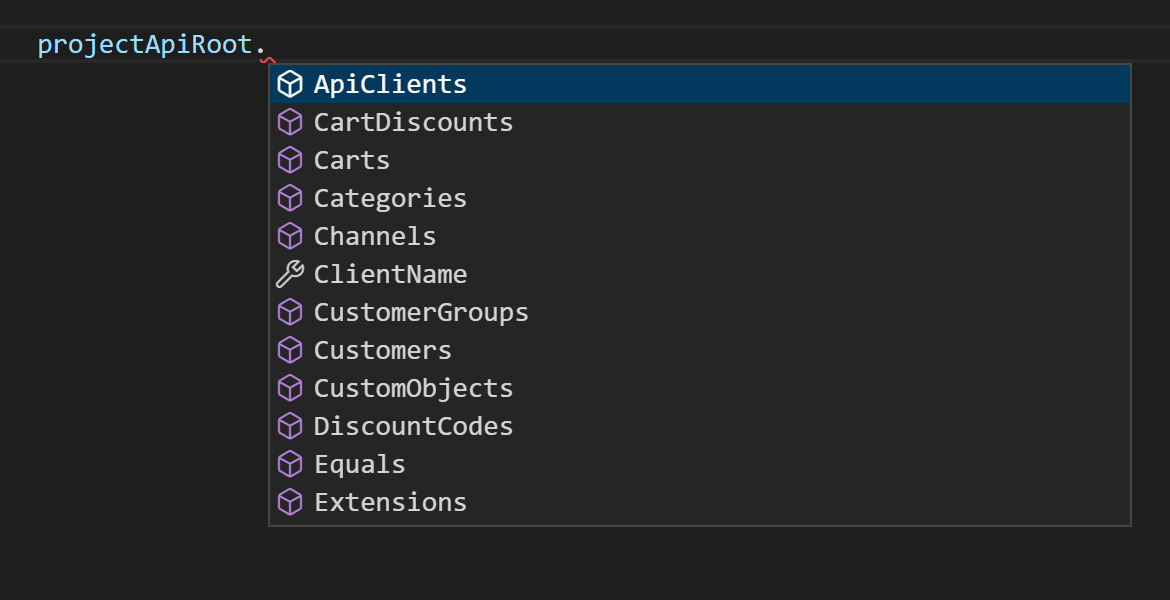
If you do not specify an endpoint, the SDK references the [Project](/api/projects/project.md).
### Retrieve data
#### Get a single resource
When targeting a specific resource, you should include its ID or key followed by `Get()`, `ExecuteAsync()`, and `Result`.
```csharp title="Get a Shopping List by ID or key"
// Get a specific Shopping List by ID
var shoppingListInfo = httpApiRoot
.ShoppingLists()
.WithId("a-shoppinglist-id")
.Get()
.ExecuteAsync()
.Result;
// Get a specific Shopping List by key
var shoppingListInfo = httpApiRoot
.ShoppingLists()
.WithKey("a-shoppinglist-key")
.Get()
.ExecuteAsync()
.Result;
```
If you query a resource with an id or key that does not exist, your program will crash with a [Not Found](/api/errors.md#404-not-found) error.
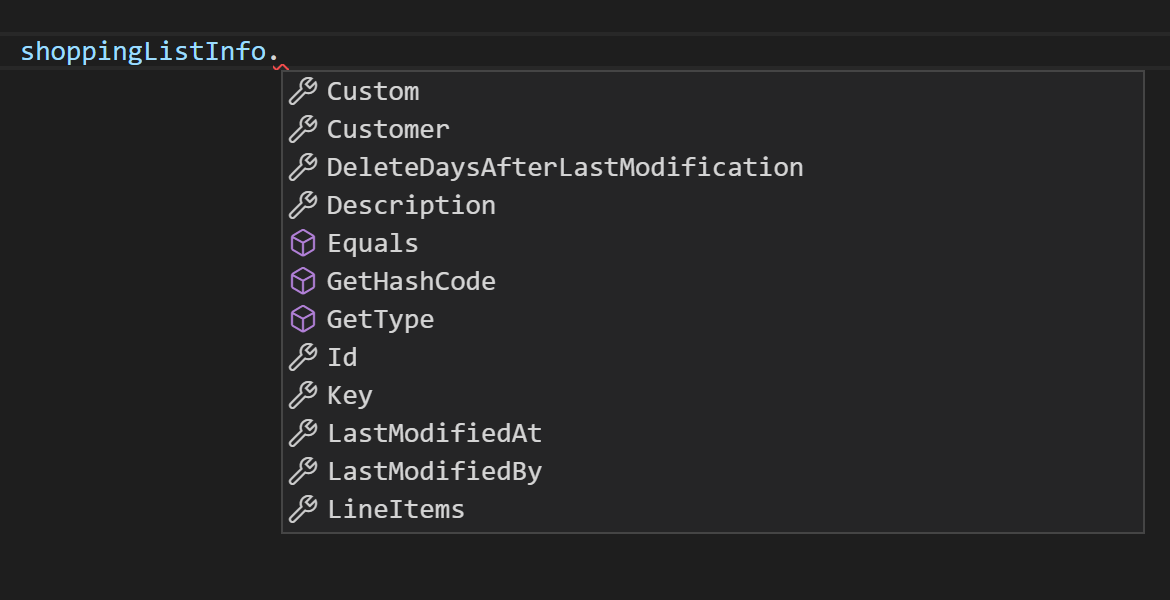
In this example, `shoppingListInfo` now contains the data of the specified Shopping List. You can access information from the fields within that object:
#### Get multiple resources
If you do not include an ID or key, the endpoint returns a `PagedQueryResponse`, which is identical to [PagedQueryResults](/api/general-concepts.md#pagedqueryresult) in the HTTP API.
```csharp title="Query Shopping Lists"
// Return an IShoppingListPagedQueryResponse
var shoppingListsQuery = httpApiRoot
.ShoppingLists()
.Get()
.ExecuteAsync()
.Result;
```
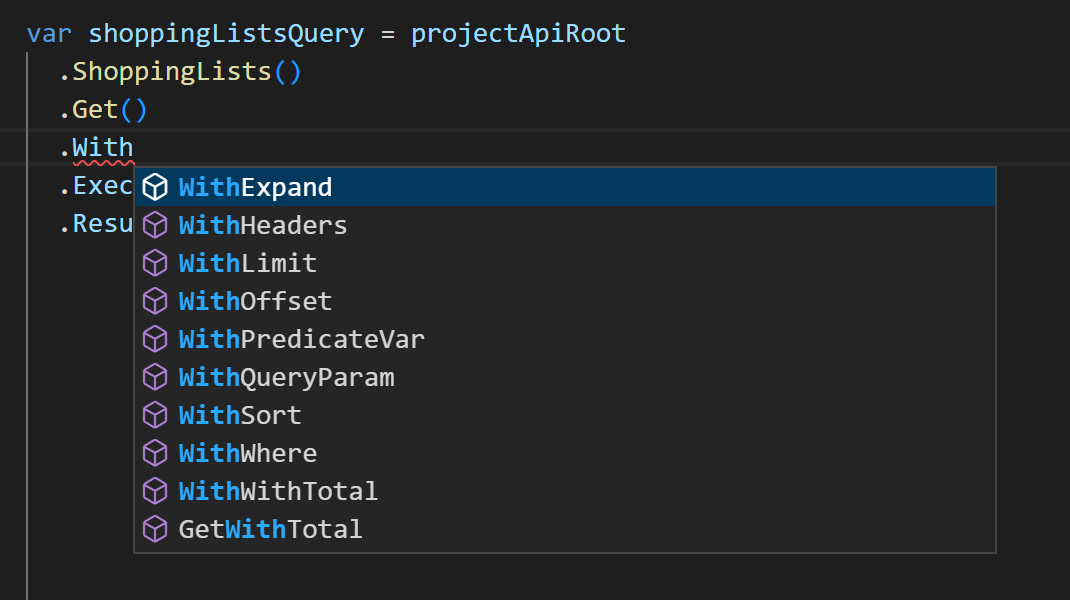
You can alter the results of these calls by including [`WithWhere()`](/api/predicates/query.md), [`WithSort()`](/api/general-concepts.md#sorting), [`WithExpand()`](/api/general-concepts.md#reference-expansion), [`WithLimit()`](/api/general-concepts.md#limit), or [`WithOffset()`](/api/general-concepts.md#offset) after `Get()`.
These are identical to the [parameters](/api/general-concepts.md#query-features) you can add to standard HTTP API calls. If your IDE supports autocomplete you can view a full list of methods available:
##### Use the Query Predicate builder
For querying results you can also use the type safe [Query Predicate](/api/predicates/query.md) builders. They allow you to programmatically create a Query Predicate using the `withQuery` method.
```csharp title="Query using a predicate builder"
// Return all Customers that have not verified their email address
var response = httpApiRoot
.Customers()
.Get()
.WithQuery(c => c.IsEmailVerified().Is(false))
.ExecuteAsync()
.Result;
```
For more examples and available operators, see [.NET SDK Query Predicate builders](/dev-tooling/dotnet-sdk-predicates.md).
##### Access query results
Regardless of whether you use query parameters or the Query Predicate builder, you can access the list of resources within a `PagedQueryResponse` using `Result`:
```csharp title="Access query results"
// Return an IShoppingListPagedQueryResponse
var shoppingListsQuery = httpApiRoot
.ShoppingLists()
.Get()
.ExecuteAsync()
.Result;
// Put the returned Shopping Lists in a list
var listOfShoppingLists = shoppingListsQuery.Results;
// Output the first Shopping List's English name
Console.WriteLine(listOfShoppingLists[0].Name["en"]);
```
### Write a resource
#### Create a new resource
Creating a new resource requires a draft of the resource to create. For Shopping Lists this is a [ShoppingListDraft](/urn?urn=ctp%3Aapi%3Atype%3AShoppingListDraft). You create these drafts using [builders](/dev-tooling/dotnet-sdk-getting-started.md#create-objects).
```csharp title="Build a ShoppingListDraft"
// Build a ShoppingListDraft with the required fields (name)
var newShoppingListDetails = new ShoppingListDraft()
{
Name = new LocalizedString() { { "en", "English name of Shopping List" } }
};
```
Include `newShoppingListDetails` within `Post()` and follow it with `ExecuteAsync()`.
```csharp title="Create a Shopping List"
// Post the ShoppingListDraft and get the new Shopping List
var newShoppingList = httpApiRoot
.ShoppingLists()
.Post(newShoppingListDetails)
.ExecuteAsync()
.Result;
```
#### Update an existing resource
Updating an existing resource requires posting an update payload. This payload (in the case of Shopping Lists, a `ShoppingListUpdate`) contains a collection of update actions and the last seen version of the resource.
You can create update actions and payloads by using [builders](/dev-tooling/dotnet-sdk-getting-started.md#create-objects).
```csharp title="Build a ShoppingListUpdate"
// Build a ShoppingListUpdate with the required fields (version and list of IShoppingListUpdateActions)
var shoppingListUpdate = new ShoppingListUpdate()
{
Version = 1,
Actions = new List
{
{
new ShoppingListSetKeyAction(){Key="a-new-shoppinglist-key"}
}
}
};
```
You can then post the payload to a single resource (using `WithId()` or `WithKey()`).
```csharp title="Update a Shopping List"
// Post the ShoppingListUpdate and return the updated Shopping List
var updatedShoppingList = httpApiRoot
.ShoppingLists()
.WithId("{shoppingListID}")
.Post(shoppingListUpdate)
.ExecuteAsync()
.Result;
```
### Delete a resource
Deleting a resource requires using the `.Delete()` method with the last seen version of the resource. You must identify the resource to delete using `WithId()` or `WithKey()`.
```csharp title="Delete a Shopping List"
// Delete and return a Shopping List
var deletedShoppingList = httpApiRoot
.ShoppingLists()
.WithId("{shoppingListID}")
.Delete()
.WithVersion(1)
.WithDataErasure(true) // Include to erase related personal data
.ExecuteAsync()
.Result;
```
### Use GraphQL
The .NET SDK supports two approaches for working with the GraphQL endpoint.
#### Basic GraphQL queries
For simple GraphQL queries, use the `Graphql()` endpoint with a raw query string. The response data is returned as `JsonElement` and can be accessed using the `System.Text.Json` API:
```csharp title="Send a basic GraphQL query"
IGraphQLResponse response = await projectApiRoot
.Graphql()
.Post(new GraphQLRequest()
{
Query = "query($productFilter:String) { products(where: $productFilter) { results { id } } }",
Variables = new GraphQLVariablesMap()
{
{ "productFilter", $"id = \"{productId}\"" }
}
})
.ExecuteAsync();
```
#### Type-safe GraphQL with the GraphQL package
The .NET SDK has a [GraphQL package](https://www.nuget.org/packages/commercetools.Sdk.GraphQL.Api) that provides type-safe GraphQL support.
With the help of [ZeroQL](https://github.com/byme8/ZeroQL) you can generate a type-safe query and
projection client. The results are then mapped to the correct response type.
The response types have all available fields defined by the selector.
```csharp title="Send a type-safe GraphQL query"
var variables = new { productFilter = $@"id = ""{productId}""" };
var response = await client.Query(variables,
static (i, o) => o.Products(where: i.productFilter,
selector: r => new { results = r.Results(product => new { product.Id })}
)
);
Assert.NotNull(response.Data?.results[0].Id);
```
## Next steps
Continue learning about the .NET SDK by checking our [SDK code examples](/dev-tooling/sdk-example-code?activePath=cs). You will find example code for creating, querying, and updating Customers and Products.
The [Me Endpoint Checkout app](/dev-tooling/sdk-example-applications.md#me-endpoint-checkout-app) demonstrates how to use the [Me endpoints](/api/me-endpoints-overview.md) to create an example web store.
## Related pages
- [Area overview page with navigation](/dev-tooling.md)
- [Previous page: Overview](/dev-tooling/dotnet-sdk.md)
- [Next page: Query Predicate builders](/dev-tooling/dotnet-sdk-predicates.md)