Store-based data fencing permissions for Product Selections
We've introduced team-level conditional permissions for Product Selections linked to specific Stores.
This enhancement ensures that only the designated teams have the ability to view and manage the Product Selections associated with their assigned Stores.
Import/export
Data management just got a whole lot more flexible and powerful! Over the past several months, we’ve rolled out a suite of enhancements to the Import and Export tools in the Merchant Center designed to give you total control over your commerce data. You can now perform high-precision exports for Products and Customers using query predicates, ensuring you only download exactly what you need. We’ve also introduced support for Custom Objects (JSON), Excel-optimized CSV formatting, and customizable separators—including comma-based decimals for our international users. Whether you're handling complex Orders with multiple shipping methods or using CSV templates for consistent bulk updates, these updates eliminate the manual "cleanup" phase and make your data workflow smoother than ever!
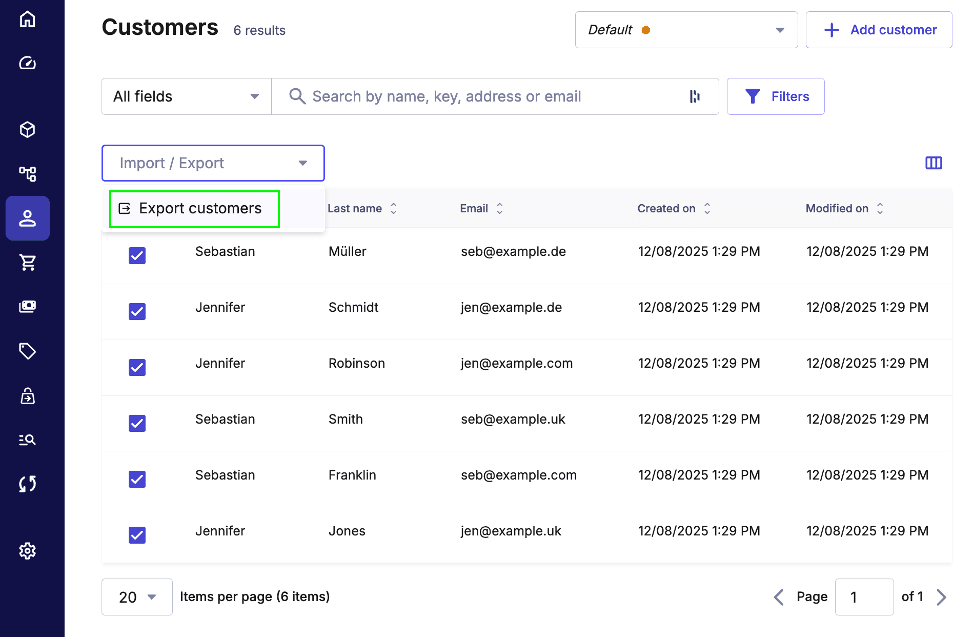
You can quickly test these improvements out by doing a quick Customer export experiment. Simply navigate to
Customers ➜ Customer list in the Merchant Center, select all customers and choose
Export customers:
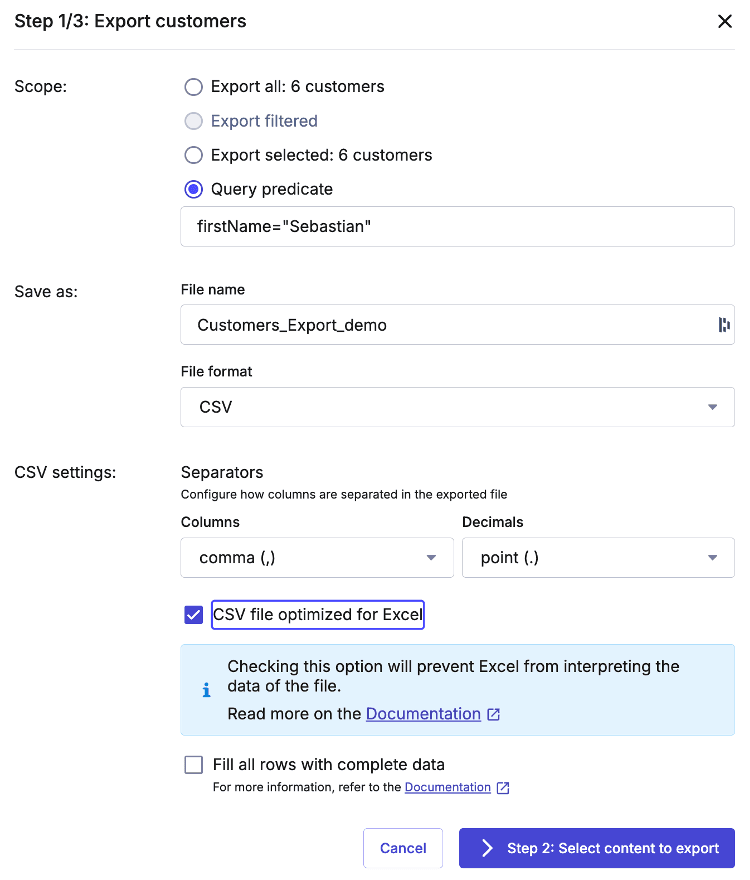
A new window should pop-up allowing you to specify which Customers you would like to export, what separators to use and so on. Let’s use the query feature to only export customers whose first name is Sebastian:
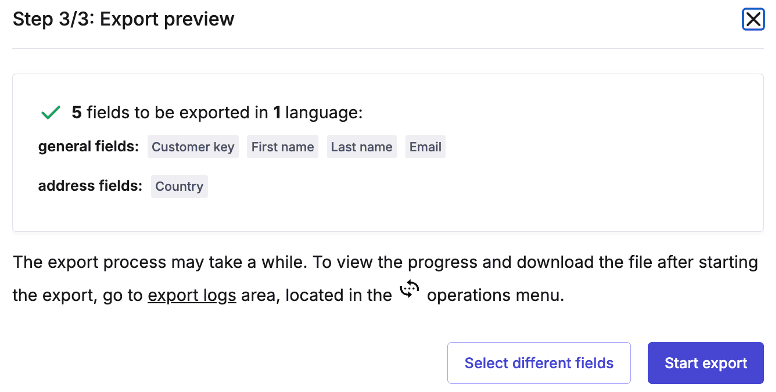
In the next step, choose which fields you would like to be included in the export and confirm the operation in the final, third step:
To download the export file, simply go to Operations ➜ Export and your file should be there waiting to be downloaded. It should only include the customers we wanted:
Note: the exported CSV uses Excel's formula-safe format, where each value is wrapped as ="value" to prevent Excel from misinterpreting data as formulas or numbers. This ensures compatibility and preserves data integrity when opening the file in Excel.
"=""key""","=""firstName""","=""lastName""","=""email""","=""addresses.country"""
"=""sebastian-mueller""","=""Sebastian""","=""Müller""","=""seb@example.de""","=""DE"""
"=""sebastian-smith""","=""Sebastian""","=""Smith""","=""seb@example.uk""","=""GB"""
"=""sebastian-franklin""","=""Sebastian""","=""Franklin""","=""seb@example.com""","=""US"""
Deprecations
As you may have noticed, numerous import/export capabilities have been added to the Merchant Center. With these enhancements, we’ve decided to deprecate ImpEx.
What about the API Playground and GraphQL IDE, you ask? No need to worry—they’re now integrated into the Merchant Center and better than ever! You can find them in your Project by navigating to Settings ➜ Developer settings.
Additionally, the Menu Visibility feature has been removed from the Merchant Center. Previously, this feature enabled administrators to manually conceal menu links for specific sections. Now, access control is exclusively managed through standard Merchant Center permissions. This decision allows us to concentrate development resources on improving core features that deliver more substantial value.